
How to Verify a Hardware Wallet Hasn’t Been Tampered With Before First Use

The security of cryptocurrency self-custody depends entirely on the integrity of the private keys generated by your hardware device. While these devices are designed to withstand sophisticated digital attacks, they remain vulnerable to physical intervention before they reach your hands. A supply chain attack occurs when a malicious actor intercepts a device during manufacturing, transit, or distribution to modify its hardware or pre-install compromised software. Learning how to verify a hardware wallet hasn’t been tampered with before initializing it is the single most critical step in safeguarding your digital assets.
This guide explains the exact physical and digital verification steps required to ensure a device is secure. Rather than relying on superficial indicators like plastic wrap, this approach focuses on cryptographic attestation and firmware verification to establish a true root of trust.
Who This Guide Is For
This guide is for cryptocurrency holders who have purchased or are planning to purchase a hardware wallet and want a rigorous, step-by-step verification methodology. It is especially critical for those who purchased devices from third-party resellers or received packages with damaged outer packaging.
Who This Guide Is Not For
This guide does not cover active physical hacking defense for devices that are already in use, nor does it cover software wallet security. It is strictly focused on the pre-initialization phase of new hardware wallets.
Step 1: Secure Sourcing and Physical Inspection
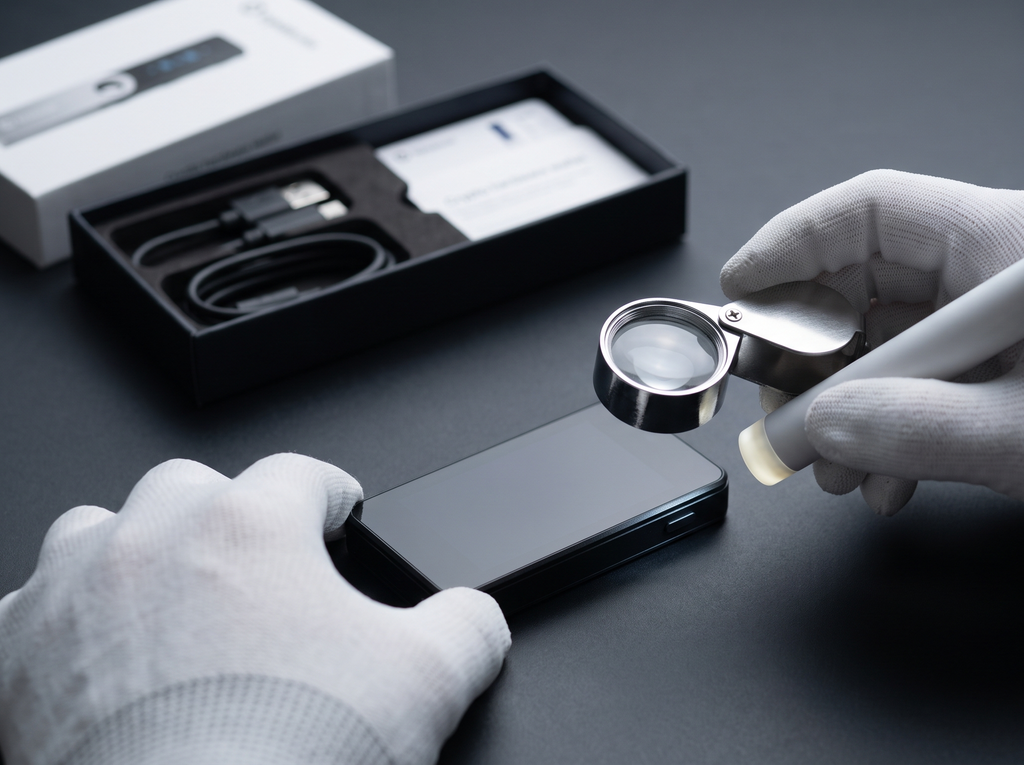
The process of securing a hardware wallet begins long before the package is opened. The primary defense against physical tampering is sourcing the device directly from the official manufacturer or an authorized reseller. Buying from unauthorized discount platforms or secondary marketplaces drastically increases the risk of receiving a pre-configured or malicious device.
Once the package arrives, a thorough physical inspection is necessary. Historically, manufacturers relied heavily on holographic tamper-evident seals. However, security researchers have repeatedly demonstrated that these stickers can be peeled off cleanly or counterfeited with basic tools. Consequently, leading manufacturers like Ledger have transitioned away from physical tamper seals, relying instead on cryptographic checks. If your device does use a physical seal, inspect it closely for any signs of peeling, misalignment, residue, or duplicate adhesive layers.
Beyond the box, inspect the physical device itself. Look for pry marks along the seams of the plastic casing, loose USB ports, or any unexpected weight differences. Some sophisticated supply chain attacks involve soldering a malicious chip inside the casing to capture keystrokes or bypass security elements. While opening the device to inspect the internal circuit board is an option for highly technical users, it runs the risk of permanently damaging the unit and voiding the warranty. For most users, digital verification offers a more reliable guarantee of integrity.
Key Takeaways
- Direct sourcing from official manufacturers remains the most effective way to minimize supply chain risks.
- Physical tamper-evident seals are easily counterfeited and should never be used as the sole proof of security.
- Inspect the physical casing of the device for pry marks, unusual seams, or loose components before plugging it in.
Step 2: Cryptographic Attestation and Official App Pairing
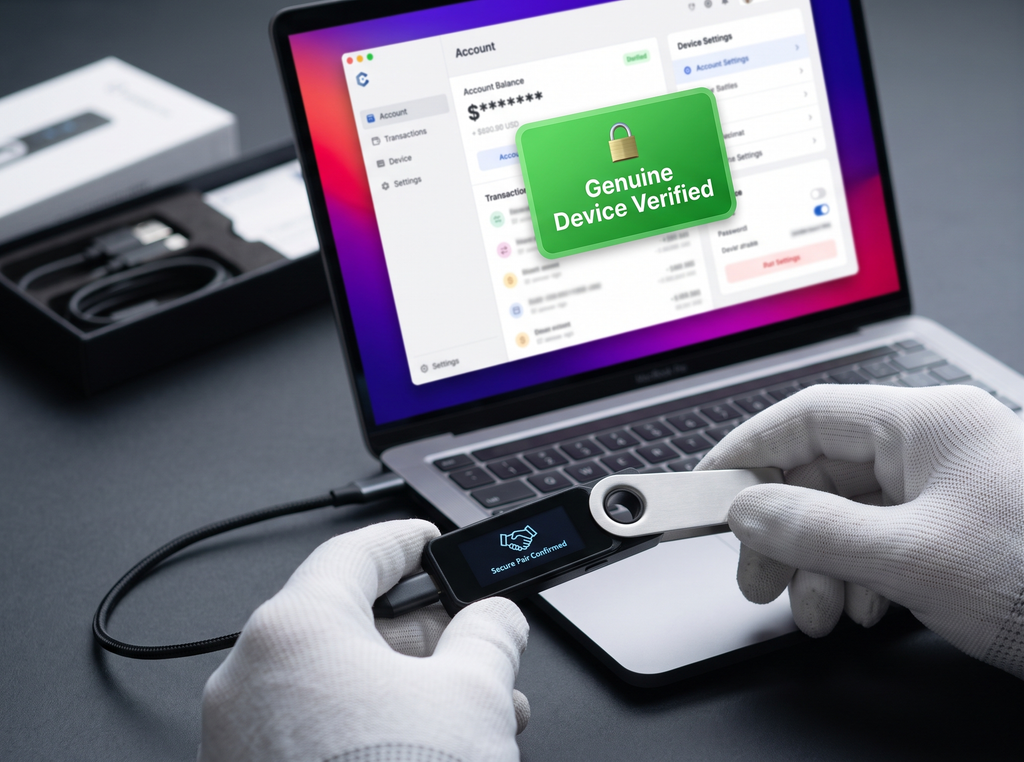
The most robust defense against hardware tampering is cryptographic attestation. Modern hardware wallets contain a secure element or specialized microcontroller that holds a unique private key written during the manufacturing process. This key cannot be extracted or altered without destroying the chip.
When you plug the device into your computer and connect to the official companion application (such as Ledger Live or Trezor Suite), a cryptographic handshake occurs. The official software sends a challenge to the hardware wallet. The device must sign this challenge using its factory-installed private key. The companion app then verifies this signature against the manufacturer’s public root key. If the signature is valid, it proves that the device’s internal hardware and core software are genuine and have not been altered.
According to security documentation from Ledger, this cryptographic check is performed automatically every time the device connects to the official application. If the device fails this check, the software will display a warning and block further interaction. Never use a device that fails to pair or fails to complete the official cryptographic verification process.
Bottom Line
- Cryptographic attestation uses factory-installed private keys to verify the authenticity of the hardware.
- The official companion software must perform this handshake before any funds are deposited.
- If the official app fails to recognize the device or throws a signature warning, the device must be discarded.
Step 3: Bootloader and Firmware Validation (The Reset Test)

Even if the hardware is genuine, malicious actors can attempt to load custom, modified firmware onto the device. This modified firmware could be programmed to generate predictable recovery seeds or leak private keys. To prevent this, hardware wallets utilize a secure bootloader that verifies the cryptographic signature of the firmware before allowing it to run.
To ensure your device is running unmodified software, perform a force-firmware update or a factory reset test immediately upon unboxing. Connect the device, open the official companion app, and check for available firmware updates. If the device is already running the latest version, perform a factory reset via the device’s settings menu, and then reinstall the firmware.
According to technical advisories from Trezor, if any unauthorized modifications have been made to the bootloader or the firmware, the device will display a prominent warning screen during bootup, stating that the signatures do not match. If you observe any bootloader warnings or if the device bypasses the signature verification screen entirely, disconnect it immediately.
Quick Summary
- A secure bootloader ensures that only firmware signed by the official manufacturer can run on the device.
- Performing a manual factory reset and firmware update forces the device to verify its software integrity.
- Discontinue use immediately if the device displays any bootloader warnings or unexpected startup screens.
When to Reject and Return a Device
Understanding when to reject a device is just as important as knowing how to test it. There are several clear indicators that a hardware wallet has been compromised and must not be used under any circumstances.
The most common and dangerous attack vector is a pre-configured recovery sheet. If your device arrives with a scratch-off card showing a pre-printed 12, 18, or 24-word recovery seed, or if the device itself prompts you to enter a PIN that was already set, it is compromised. A genuine hardware wallet will always force you to generate a brand-new recovery seed directly on the device’s screen during the initial setup. The manufacturer will never ship a device with a pre-set PIN or recovery phrase.
Additionally, reject any device that includes undocumented inserts, instruction manuals directing you to download software from unofficial web domains, or extra cables not listed in the box contents. Supply chain attacks often rely on social engineering to trick users into downloading malicious companion software from phishing domains.
In Short
- Never use a hardware wallet that arrives with a pre-configured recovery seed or PIN.
- Verify that the device generates its recovery seed directly on its physical screen during setup.
- Be alert to social engineering attempts, such as unofficial instruction manuals or altered download links.
Next Step Checklist
- Verify the package was purchased directly from the official manufacturer or an authorized reseller listed on their website.
- Examine the physical device for pry marks, loose seams, or structural inconsistencies.
- Download the official companion application directly from the manufacturer’s official verified domain.
- Connect the device to the official app to complete the cryptographic attestation handshake.
- Perform a factory reset and update the device firmware to the latest official version.
- Ensure the device generates a new recovery seed on its physical screen, and write it down offline on the provided recovery sheets.
Frequently Asked Questions
Can I trust the plastic shrink wrap on a hardware wallet box?
No, you should never rely solely on plastic shrink wrap or physical tamper seals to verify a hardware wallet’s security. Shrink-wrapping machines are inexpensive and widely available, allowing malicious actors to easily rewrap a compromised box. Instead, rely on cryptographic attestation, which is a digital security check performed automatically by the official companion application to verify the genuine microchip inside the device.
What should I do if my hardware wallet comes with a pre-written recovery seed?
If your device arrives with a pre-written recovery seed, a pre-set PIN, or a filled-out recovery sheet, do not use it. This is a definitive sign of a supply chain attack. A genuine hardware wallet will always generate a completely random seed phrase on its physical screen during the initial setup process. If the seed is already chosen, someone else has access to it and can steal any funds you deposit.
Is it safe to buy a hardware wallet from Amazon or eBay?
It is only safe if you purchase directly from the official manufacturer’s storefront on authorized platforms. Buying from unverified third-party sellers on platforms like eBay or Amazon increases the risk of receiving a returned, modified, or counterfeit device. Always cross-reference the seller’s profile with the authorized reseller list on the official manufacturer’s website.